






| Online left Games | ||||
|---|---|---|---|---|
 Coaster Destroyer Game Coaster Destroyer Game  Plays: 3844 Category: Puzzles Here is your chance to do some damage in a theme park! Use weapons to blow up rollercoasters and cause mayhem to the stickman riders! Destroy coaster tracks as you solve each puzzle level by exploding dynamite, banana-bombs, anvils, Rhino-bombs and more to achieve the target score! Good luck! |  Balance Balls Game Balance Balls GamePlays: 3843 Category: Action Use the right and left arrows to balance the red ball. How long can you survive? | |||
 Baby Room Designer Game Baby Room Designer GamePlays: 3841 Category: Customize Every baby needs a room to herself. So that she can complete all of her block stacking experiments, her teddy bear tea parties, and chalk drawing arts and crafts time. Don't feel left out! She just needs time to collect her thoughts. | 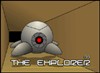 The Explorer Game The Explorer GamePlays: 3839 Category: Action The Exp 01 mission is exploring underground cave to find any artifacts left behind by the aliens. The Exp 01 can move easily because of its light weight and anti gravity equipment. However its also very fragile and only the best remote techs, like you, should operate it. | |||
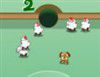 Sheep Pool Game Sheep Pool GamePlays: 3837 Category: Action The object of the game is very simple. Use Frisbee Dog to round up the number sheep into the same numbered pockes as fast as possible. Remember, you must pocket the sheep in numerical order (1, 2, 3, etc.) and complete the task before your time / points run out. The points you are left reflect the time you had left - so speed is critical. | 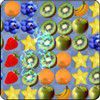 Fruit Shock Game Fruit Shock GamePlays: 3836 Category: Strategy Swap fruits, if a fruit has enough of the same kind around it they activate and explode in 2 seconds giving you points. While fruits are being shocked you can make additional matches, you score more if more fruits exploding at once. Explosions cost charges; when you have no charges left, the game ends. | |||
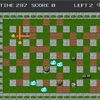 Bomber Girl Game Bomber Girl GamePlays: 3834 Category: Adventure this is a classical bomber game ,use UP,DOWN,LEFT,RIGHT EKY move player,X key plant a game,C key control a bomb explode ????????.???????,enter?????,X????,C??????? |  Paperplane Madness 2 Game Paperplane Madness 2 GamePlays: 3828 Category: Shooting Take on the role as a paperplane and cover as much distance as possible. But be careful of the intense thunderstorm above you and the treacherous terrain beneath you, as well dodging the oncoming enemies! Collect power-ups on your journey and use them to destroy anything that threatens your mission. Controls: Left mouse button: Click to fly higher, release to let the plane fall. 'S' key: Shoot projectiles at your enemies that get in your way! | |||
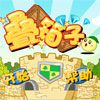 Think Think World - Box Stacking Game Think Think World - Box Stacking GamePlays: 3825 Category: Action Think Think World - Box Stacking The goal is to stack boxes as many as possible. There is a swinging box at the top of the screen. Find the proper time to click left button to drop it down and stack up. The stacked boxes will be shaking in later levels. Stack up boxes to a certain amount to go to the next level. ?????????-??? ????????????????,?????????????,???????? ????????,??????,??????,???????????????? ????????????????? |  Mindfields 2204 Game Mindfields 2204 GamePlays: 3821 Category: Shooting In 2204 your tank is the only one left from you legion. Your mission is to find your way throug the enemy lines. | |||
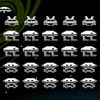 Chrome Invaders Game Chrome Invaders GamePlays: 3820 Category: Action Destroy all invader spaceships by shooting at them. Use space-bar to shoot and the left and right arrow keys to move. |  ASD Piano Maestro Compositor Game ASD Piano Maestro Compositor GamePlays: 3820 Category: Education ESPAÑOL (English bellow) ======= El ASD Piano es un dispositivo creado por I2 Interactive y vendido ampliamente por todo el mundo. Aqui puedes divertirte jugando con el. Tiene 7 teclas que se corresponden con las 7 notas y puedes tocarlas presionando la tecla correspondiente en tu teclado A-S-D-F-G-H-J En este juego tiene 3 modos para pasar un buen rato con el ASD Piano TM. Free Mode: Aqui puedes jugar como quieras, presionando las teclas como desees. Haz click en el boton Back para regresar a la pantalla de titulo. Memory: Oiras una corta melodia y despues deberas tocarla de nuevo, muchas cortas melodias iran apareciendo y una vez que las toques correctamente puedes enviar tus puntos a la tabla de Hi-Score Composer: Puedes componer tus propias piezas originales!! y compartirlas con tus amigos, muestra al mundo el talento que tienes!! En la pantalla del Composer presiona el boton "REC" para empezar a crear tu composicion, toca las teclas como prefieras y sientas de la mejor manera, puedes tocar varias notas a la vez y conseguir increibles resultados. Cuando sientas que esta terminada dale al boton de "STOP" para detener la grabacion. Puedes ajustar la velocidad de la pieza variando el valor dado abajo a la izquierda y tambien puedes añadir una musica de fondo como acompañamiento seleccionandola de la lista de Tunes disponibles de 1 a 6. Puedes tu pieza original dandole a "PLAY", haz click en "STOP" para detenerla en cualquier punto, con la cabeza lectora (flecha verde) parada puedes hacer click en cualquier parte del pentagrama, la cabeza lectora ira alli, tocando cualquier nota ahi modificara esa parte, puedes hacer click en "ERASE PART" para borrar solo esa parte. Si haces click en "ERASE ALL" se borrara toda la composicion asi que ten cuidado, tambien haciendo click en "Back" se borrara toda la composicion asi que salva antes de salir. Para salvar tu composicion debes hacer click en "SAVE" y luego, en un cuadro blanco situado abajo, haz click con el boton derecho del raton, y en el menu que sale haz click en "Seleccionar todo" luego haz click de nuevo con el boton derecho y selecciona "Copiar" ahora abre tu Bloc de Notas de Windows, ve a "Inicio", luego en "Todos los programas" y despues en "Accesorios", luego haz click en "Bloc de Notas", una vez que se abra, en el menu "Edicion" selecciona "Pegar", luego haz click en "Archivo" y "Guardar" para guardarlo donde quieras. Para cargar tu pieza o la de tus amigos primero de todo selecciona toda la composicion que tu has recivido (comienza y termina con un numero), luego haz click con el boton derecho en ella y elige "Copiar", luego en el ASD Piano, una vez que estes en el modo Composer, haz click con el boton derecho en el cuadro blanco de abajo y elige "Pegar" luego haz click en el boton "LOAD" y ya puedes hacer click en "PLAY" para escucharla o puedes editarla para añadir tus modificaciones. Puedes tambien hacer click en las canciones prefabricadas "Premade" para cargar una de las 5 melodias disponibles, haciendo esto cargara la cancion entera asi que asegurate de salvar tu composicion antes, mira lo que nuestro talentoso equipo ha hecho y aprende a la vez. ENGLISH ============= The ASD Piano is a device made by I2 Interactive and sold widely everywhere. Here you can have fun playing with it. It has 7 keys that correspond to the 7 notes and you can play them by pressing the corresponding keys on your Keyboard A-S-D-F-G-H-J In this game you have 3 modes to have your fun time with the ASD Piano TM. Free Mode: Here you can play as you like, pressing the keys as you wish, click the Back button to go to tittle screen. Memory: You will hear a short melody and then you have to play it again, many short melodies will pop and after succesfully playing them you can submit your score to the Hi-Score table. Composer: You can compose your own original pieces!! and share with your friends, show the world the talent you have!! In the composer screen press the "REC" button to start making your composition, play the keys that you wish and feel the best, you can play several keys at the same time and get awesome results. When you feel its finished hit the "STOP" button to finish the recording, You can adjust your piece speed altering the value given at the bottom left and also you can add a background loop to acompany it selecting from the available tunes from 1 to 6. You can hear your original piece clicking the "PLAY" button, click "STOP" to halt it at any point, with the playhead stopped you can click on any part of your pentagram, the playhead will go there, and playing any keys there will modify that part, you can click on "ERASE PART" to delete the notes on that part. If you click "ERASE ALL" the whole piece will be deleted so be careful, also clicking "Back" will delete the piece so save first. To save it you have to click the "SAVE" button and then, there is a white square at the bottom, right click on it and on the menu click "Select all" then right click again and on the menu click on "Copy" then open your Windows Notepad, go to START then ALL PROGRAMS and then ACCESORIES, then click on Notepad and there select Edit menu and Paste, then click on File and Save to save it anywhere you like. To load your piece or your friends compositions first of all select the whole composition that you have received (starts and ends with a number), then right click on it and select Copy, then in the ASD Piano, once in the Composer mode right click on the white square at the bottom and select Paste then click on the "LOAD" button and now you can click on "PLAY" to listen to it, or you can edit that to add your own modifications. You can also click on the premade songs to load them, doing that will load the entire song so be sure to save your work first, see what our talented team has made and learn from there. | |||
 2Football Game 2Football GamePlays: 3817 Category: Action 2-Players Football(soccer): Choose your player (left or right); hit the ball to score the goal. Win the game in time 5 minutes. |  Shoot The Smileys Game Shoot The Smileys GamePlays: 3812 Category: Action Explosions, Random Smileys, Unlimited Levels, and Non-Stop Fun? Yea That's This Game :D 100% pure fun fast easy casual game. Shoot the Smileys before they reach the left side of the screen or you lose a life and your current streak. However how high can you score and rank up against the WORLD?! Yea, well let's see. | |||
 Summer Beach Clean-up Game Summer Beach Clean-up GamePlays: 3811 Category: Education Clean up the beach after tourists have left the summer resort |  BIKY SPIKY Game BIKY SPIKY GamePlays: 3810 Category: Driving In this game player drive the bike and escape form the cars, he has only 3 lives. Use left/right arrow keys for move the bike left/right. If player lives are over game will be end. | |||
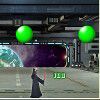 Laser Trouble Game Laser Trouble GamePlays: 3795 Category: Action Laser Trouble is a new game by Flash Games. Use your lightsaber to destroy all the balls. Press the left and right arrow keys to move the warrior around, press the space key to activate the laser. |  War Elephant Game War Elephant GamePlays: 3794 Category: Strategy Face hordes of the world's most vicious warriors as you lead your army to glory in your quest for the legendary axe! | |||
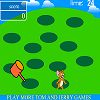 hammer jerry Game hammer jerry GamePlays: 3785 Category: Action Simple 'whack a mole' style game. . . but with Jerry fire: left mouse movement: mouse |  Acool Diamond Blocks Game Acool Diamond Blocks GamePlays: 3784 Category: Puzzles Description A classic nostalgic game developed by Acool Games. Maybe each one has a deep impression about the classic game with lasting appeal, Tetris, within several simple blocks can bring you a variety of joys. Controls Use keyboard to control. Press ?to rotate, spacebar to drop, ?/? to shift to left/right. Pause the game if necessary by pressing 'P'. | |||
<<< Previous First 30 31 32 33 34 35 36 37 38 39 40 Last Next >>>

|