



| Online play Games | ||||
|---|---|---|---|---|
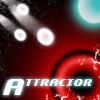 Attractor Game   Plays: 6599 Category: Puzzles Guide the balls to their home-holes using the invisible forces of attractors and repellers. Use the mouse to activate the Attractors and play your way through the 27 levels mastering the forces in space. This game has special accessibility options for handicaped people including: One button mode, changing game speed, microphone control, ... |  Connect the Dots - Tools Game Plays: 6594 Category: Puzzles Connect the Dots is a well-known game also known as dot to dot or join the dots. Easy and relaxing to play. | |||
 Animal Kingdom Game Plays: 6593 Category: Adventure Frogs, cubs, monkeys and teddies are all here to provide u a full round of entertainment! Can u aim well, group them and blast 'em off to their cribs? |  MatchColors Game Plays: 6593 Category: BoardGame It's time to play a challenging game. MatchColors is a game where you need to solve an very cool puzzle. An excelent game for kids! | |||
 1 Player Pong Game Plays: 6590 Category: Puzzles Want to play pong and can't find a second player? Play 1 player pong! |  ASD Piano Master Composer Game Plays: 6590 Category: Education ESPAÑOL ABAJO ============= The ASD Piano is a device made by I2 Interactive and sold widely everywhere. Here you can have fun playing with it. It has 7 keys that correspond to the 7 notes and you can play them by pressing the corresponding keys on your Keyboard A-S-D-F-G-H-J In this game you have 3 modes to have your fun time with the ASD Piano TM. Free Mode: Here you can play as you like, pressing the keys as you wish, click the Back button to go to tittle screen. Memory: You will hear a short melody and then you have to play it again, many short melodies will pop and after succesfully playing them you can submit your score to the Hi-Score table. Composer: You can compose your own original pieces!! and share with your friends, show the world the talent you have!! In the composer screen press the "REC" button to start making your composition, play the keys that you wish and feel the best, you can play several keys at the same time and get awesome results. When you feel its finished hit the "STOP" button to finish the recording, You can adjust your piece speed altering the value given at the bottom left and also you can add a background loop to acompany it selecting from the available tunes from 1 to 6. You can hear your original piece clicking the "PLAY" button, click "STOP" to halt it at any point, with the playhead stopped you can click on any part of your pentagram, the playhead will go there, and playing any keys there will modify that part, you can click on "ERASE PART" to delete the notes on that part. If you click "ERASE ALL" the whole piece will be deleted so be careful, also clicking "Back" will delete the piece so save first. To save it you have to click the "SAVE" button and then, there is a white square at the bottom, right click on it and on the menu click "Select all" then right click again and on the menu click on "Copy" then open your Windows Notepad, go to START then ALL PROGRAMS and then ACCESORIES, then click on Notepad and there select Edit menu and Paste, then click on File and Save to save it anywhere you like. To load your piece or your friends compositions first of all select the whole composition that you have received (starts and ends with a number), then right click on it and select Copy, then in the ASD Piano, once in the Composer mode right click on the white square at the bottom and select Paste then click on the "LOAD" button and now you can click on "PLAY" to listen to it, or you can edit that to add your own modifications. You can also click on the premade songs to load them, doing that will load the entire song so be sure to save your work first, see what our talented team has made and learn from there. ESPAÑOL ======= El ASD Piano es un dispositivo creado por I2 Interactive y vendido ampliamente por todo el mundo. Aqui puedes divertirte jugando con el. Tiene 7 teclas que se corresponden con las 7 notas y puedes tocarlas presionando la tecla correspondiente en tu teclado A-S-D-F-G-H-J En este juego tiene 3 modos para pasar un buen rato con el ASD Piano TM. Free Mode: Aqui puedes jugar como quieras, presionando las teclas como desees. Haz click en el boton Back para regresar a la pantalla de titulo. Memory: Oiras una corta melodia y despues deberas tocarla de nuevo, muchas cortas melodias iran apareciendo y una vez que las toques correctamente puedes enviar tus puntos a la tabla de Hi-Score Composer: Puedes componer tus propias piezas originales!! y compartirlas con tus amigos, muestra al mundo el talento que tienes!! En la pantalla del Composer presiona el boton "REC" para empezar a crear tu composicion, toca las teclas como prefieras y sientas de la mejor manera, puedes tocar varias notas a la vez y conseguir increibles resultados. Cuando sientas que esta terminada dale al boton de "STOP" para detener la grabacion. Puedes ajustar la velocidad de la pieza variando el valor dado abajo a la izquierda y tambien puedes añadir una musica de fondo como acompañamiento seleccionandola de la lista de Tunes disponibles de 1 a 6. Puedes tu pieza original dandole a "PLAY", haz click en "STOP" para detenerla en cualquier punto, con la cabeza lectora (flecha verde) parada puedes hacer click en cualquier parte del pentagrama, la cabeza lectora ira alli, tocando cualquier nota ahi modificara esa parte, puedes hacer click en "ERASE PART" para borrar solo esa parte. Si haces click en "ERASE ALL" se borrara toda la composicion asi que ten cuidado, tambien haciendo click en "Back" se borrara toda la composicion asi que salva antes de salir. Para salvar tu composicion debes hacer click en "SAVE" y luego, en un cuadro blanco situado abajo, haz click con el boton derecho del raton, y en el menu que sale haz click en "Seleccionar todo" luego haz click de nuevo con el boton derecho y selecciona "Copiar" ahora abre tu Bloc de Notas de Windows, ve a "Inicio", luego en "Todos los programas" y despues en "Accesorios", luego haz click en "Bloc de Notas", una vez que se abra, en el menu "Edicion" selecciona "Pegar", luego haz click en "Archivo" y "Guardar" para guardarlo donde quieras. Para cargar tu pieza o la de tus amigos primero de todo selecciona toda la composicion que tu has recivido (comienza y termina con un numero), luego haz click con el boton derecho en ella y elige "Copiar", luego en el ASD Piano, una vez que estes en el modo Composer, haz click con el boton derecho en el cuadro blanco de abajo y elige "Pegar" luego haz click en el boton "LOAD" y ya puedes hacer click en "PLAY" para escucharla o puedes editarla para añadir tus modificaciones. Puedes tambien hacer click en las canciones prefabricadas "Premade" para cargar una de las 5 melodias disponibles, haciendo esto cargara la cancion entera asi que asegurate de salvar tu composicion antes, mira lo que nuestro talentoso equipo ha hecho y aprende a la vez. | |||
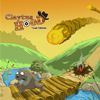 Claytus Hood Tower Defense Game Plays: 6588 Category: Shooting Claytus towerdefense, is a game made by a French independent team. You play a farmer and you must defend yourself against enemies waves. Purchases and build turrets, kill enemies, earn money and so on... Like a tower defense like game ! Thanks for playing ! |  Winx Roxy Clothing Game Plays: 6588 Category: Dress-Up WinxClub Roxy Dressup Mouse Play | |||
 Christmas Shuffle Game Plays: 6585 Category: Puzzles Christmas shuffle is a match-3 style flash game. Included are 3 game modes: Arcade, Puzzle, and Freeplay mode. There are also 70+ Achievements, and 250+ medals to collect throughout the various game modes. The game is mouse-based only and is simple to pick-up and play, but also provides difficult puzzles to solve in the latter levels of Puzzle mode. |  Save The Goal Game Plays: 6585 Category: Sports Play as Goalkeeper and Save your Goal From all those balls, And Be the best Goalkeeper in the world. | |||
 Colors Game Plays: 6582 Category: BoardGame You must fill the board with blocks with the same color. |  Seabed Bubble 3 Game Plays: 6575 Category: Action Shoot the bubbles as many as possible before the bubbles are close to the seabed. You can Shoot the bubbles by forming groups of 3 or more of the same color. You must reach the required scores to play the next levels. Move your mouse to aim. Click to shoot. | |||
 The Algorithm Crew: Proving Ground Game Plays: 6574 Category: Action You're part of an elite crew of special ops soldiers who use their brains and brawn to bust through alien defenses. Play one of nine characters and battle space aliens and robots. This mission pack contains three exciting missions. |  Colorful Hairstyle Game Plays: 6569 Category: Dress-Up Play this fun colorful hairstyle game. Enjoy more makeover games for girls | |||
 Goats Versus Tigers Game Plays: 6562 Category: BoardGame WARNING- 'INSANELY ADDICTIVE' 'Goats Versus Tigers' is a very very funny and addictive strategy based game like chess. This is a hunt game between the extravagant Tigers and deceitful Goats. Here tiger tries to hunt the deer and the deer tries to block the tiger's movement. Player can play as 'Tigers' or as 'Goats'. If you are playing as 'Tigers' then you will have 3 tigers. Your goal is to kill 7 goats to win the game. You can kill the Goat by jumping over them to an empty spot. Tiger can not jump over another tiger. Again you have to escape from being trapped. If tigers are fully surrounded by goats and if there is no place to jump then tigers will loose the game. If you are playing as 'Goats' then you will have 15 goats. Your goal is to block 3 tiger opponents. First of all you have to get all the goats on board. Once all goats are on board then only you can move on the board. If you surround tigers so that there is no empty space for the tiger to jump on then that tiger is blocked. Recent changes: Gameplay improved..added more fun...Now AI is super strong New art added... Performance improved... |  Green Mamba Game Plays: 6556 Category: Action Play the glorified `snake` game in this tremendously lifelike tournament! | |||
 Kaleidoscope Reef Game Plays: 6555 Category: Puzzles Kaleidoscope Reef is a colorful action/puzzle game with beautiful hand-drawn art, from the creators of Anika’s Odyssey. Expand your threatened reef and create new homes for your fish by planting coral, gathering plankton, and feeding young polyps. Beware of rival fish, vile pollution and dangerous environments that will try to hold you back and destroy your creations! | 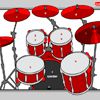 tambores Game Plays: 6555 Category: Rhythm Play drums with your keyboard or mouse. | |||
 Hammer Throw Game Plays: 6551 Category: Sports Throw hammer as far as you can. Spin hammer thrower with correct technique and build speed and then release hammer. But dont throw it into the cage. You will have to play it a number of times to master the hammer throwing technique. |  Premier Football Game Plays: 6544 Category: Facebook Want to challenge your friends? Create and manage a football team made up of your Facebook friends. Play matches against friends and represent your team! | |||
<<< Previous First 61 62 63 64 65 66 67 68 69 70 71 Last Next >>>

|